

 Email Management
 Artificial Intelligence
 Physical Archive Management
 Document Lifecycle
 Library Management
 Security and Compliance
 QR Code Generator
 McFile for Office 365
 McFile for Business Central
 McFile for Outlook
 Electronic Signature
 Compliance
 Legal
Legal Construction
 Human Resources
 Energy
 Healthcare
 Project Management
 Digitization Services
 Educational Institution
 Retail
 Cases
Cases Blog
Blog What’s New
 About us
 For developers
 For Users
 Contact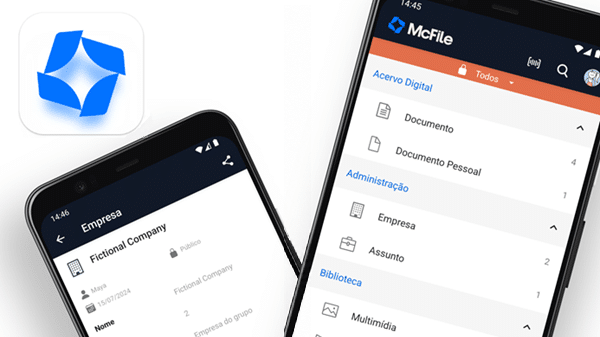
McFile is always looking for new ways to make document management more practical and efficient for your daily workflow. We’re excited to announce that the McFile app has just been updated to version 1.9, introducing essential new features and a brand-new document scanning tool. The latest version is now available for download on Google Play and the App Store.

New Built-in Document Scanning Tool
The highlight of this update is the new document scanning tool. You can now capture physical documents directly within the McFile ecosystem, making the entire process simpler, faster, and more seamless.
Discover the smart features that boost your productivity and turn our app into your pocket scanner:
- Automatic Edge Detection: Forget about manually cropping your photos. The app instantly detects the edges of the document and automatically frames it with precision, intelligently excluding the background (such as the surface of a desk).
- Automatic Perspective Correction: Took a photo at an angle or in a hurry? The app automatically corrects the perspective and straightens the document, making it look as if it were scanned with a traditional flatbed scanner.
- Shadow Removal and Lighting Adjustment: The app removes imperfections caused by poor lighting and eliminates unwanted shadows (including those cast by your phone or hand), while optimizing contrast to ensure text remains sharp and easy to read.
- Enhancement Filters: Choose the best way to view your documents by keeping their original colors enhanced, applying a grayscale filter, or converting them to crisp black and white, ideal for contracts, invoices, and receipts.
- Automatic PDF Generation: The entire process is fully integrated. You can scan a single page or a multi-page document in one session, and when you’re finished, the app automatically compiles everything into a high-quality, size-optimized PDF, ready to be stored or shared instantly.
How to Access It: It’s simple! Tap the Add (“+”) button on the home screen or within a record to start scanning.
Boost Your Productivity!
Keep your digital archive at your fingertips. If you’re already using the app, update to the latest version today. If you haven’t tried McFile yet, download version 1.9 now:


Also New in App Version 1.9:
- Smart Media Compression: Reduce the size of photos and videos by up to 90% directly on your phone, with virtually no noticeable loss in visual quality. Enjoy faster uploads while saving storage space and mobile data.
- Enhanced Barcode Scanning: We’ve upgraded the barcode scanning feature to virtually eliminate misreads. The app now requires three consecutive matching scans within fractions of a second, delivering maximum accuracy while maintaining a fast and seamless experience.
- Performance, Stability, and Compatibility: Version 1.9 includes major under-the-hood optimizations to maximize performance, improve overall stability, and ensure full compatibility with the latest smartphones on the market.
More Improvements Across the McFile Ecosystem:
- Unification of the box inventory and uncollected boxes reports into a single report, and creation of a new report for uncollected locations.
- Implementation of an activity to check the remaining number of API uses.
If you are not yet a client, try McFile for free and see firsthand how the platform can transform your business.
McFile. Drive your efficiency.