

 Email Management
 Artificial Intelligence
 Physical Archive Management
 Document Lifecycle
 Library Management
 Security and Compliance
 QR Code Generator
 McFile for Office 365
 McFile for Business Central
 McFile for Outlook
 Electronic Signature
 Compliance
 Legal
Legal Construction
 Human Resources
 Energy
 Healthcare
 Project Management
 Digitization Services
 Educational Institution
 Retail
 Cases
Cases Blog
Blog What’s New
 About us
 For developers
 For Users
 Contact
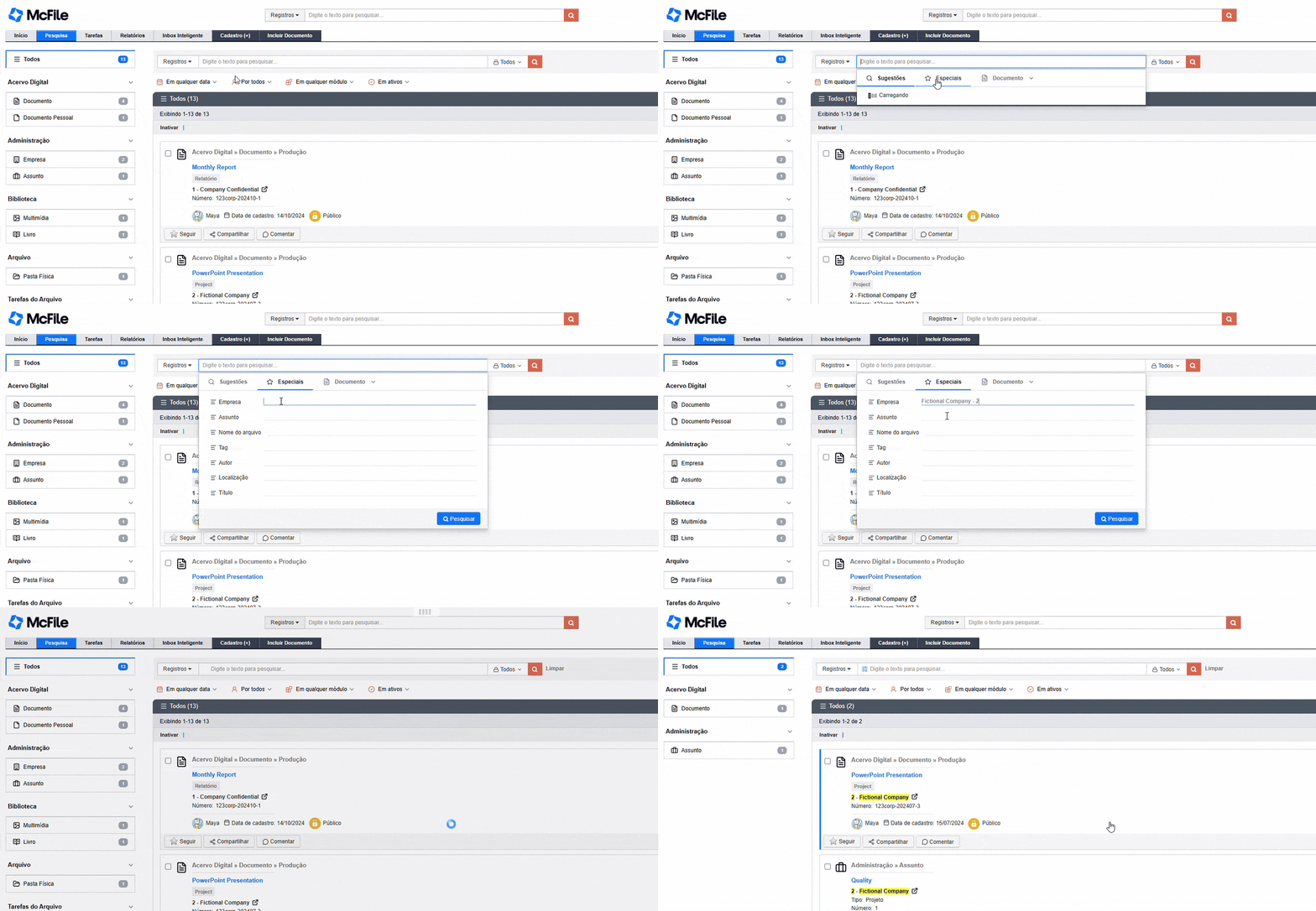
McFile’s Special Search enables you to quickly, intelligently, and fully customize your search for records and documents, utilizing fields such as Company, Subject, Tags, and File Name.
Where can I find the Special Search?
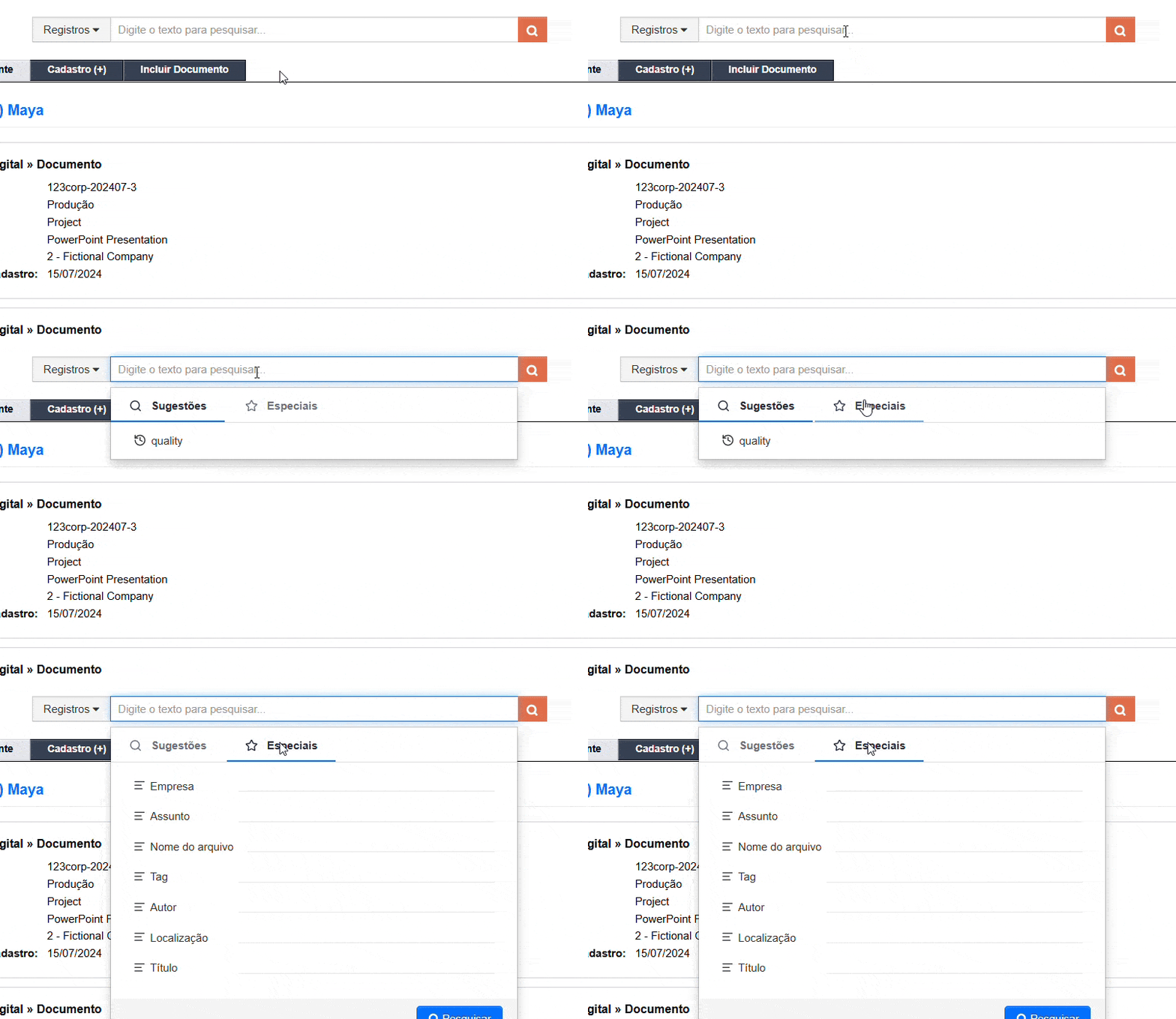
You can find the Special Search in both of McFile’s main search bars, available as one of the search options: the first is located at the top of the page on any tab, and the second is available within the Search tab itself.
How do I use the Special Search?
Running an Special Search is easy!
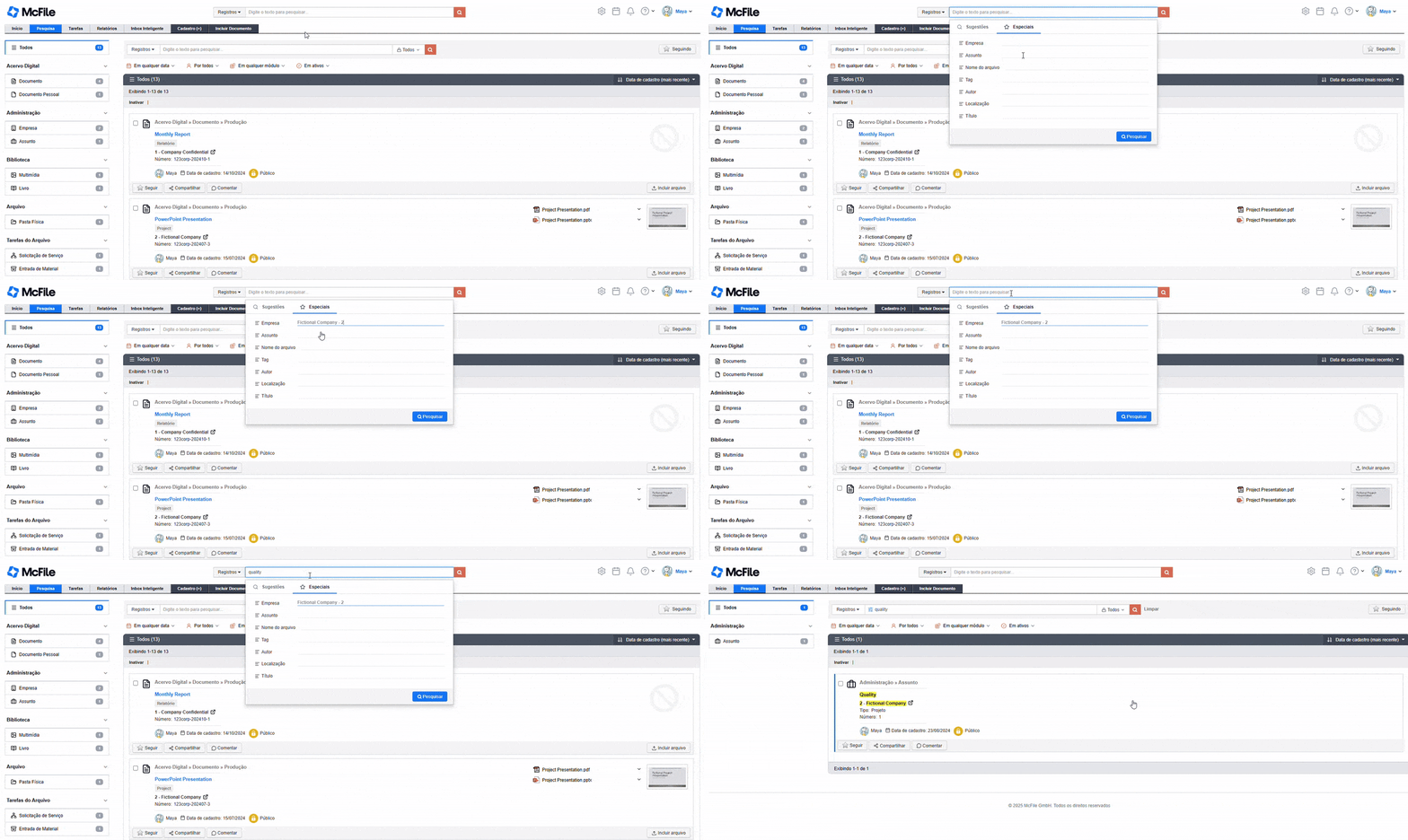
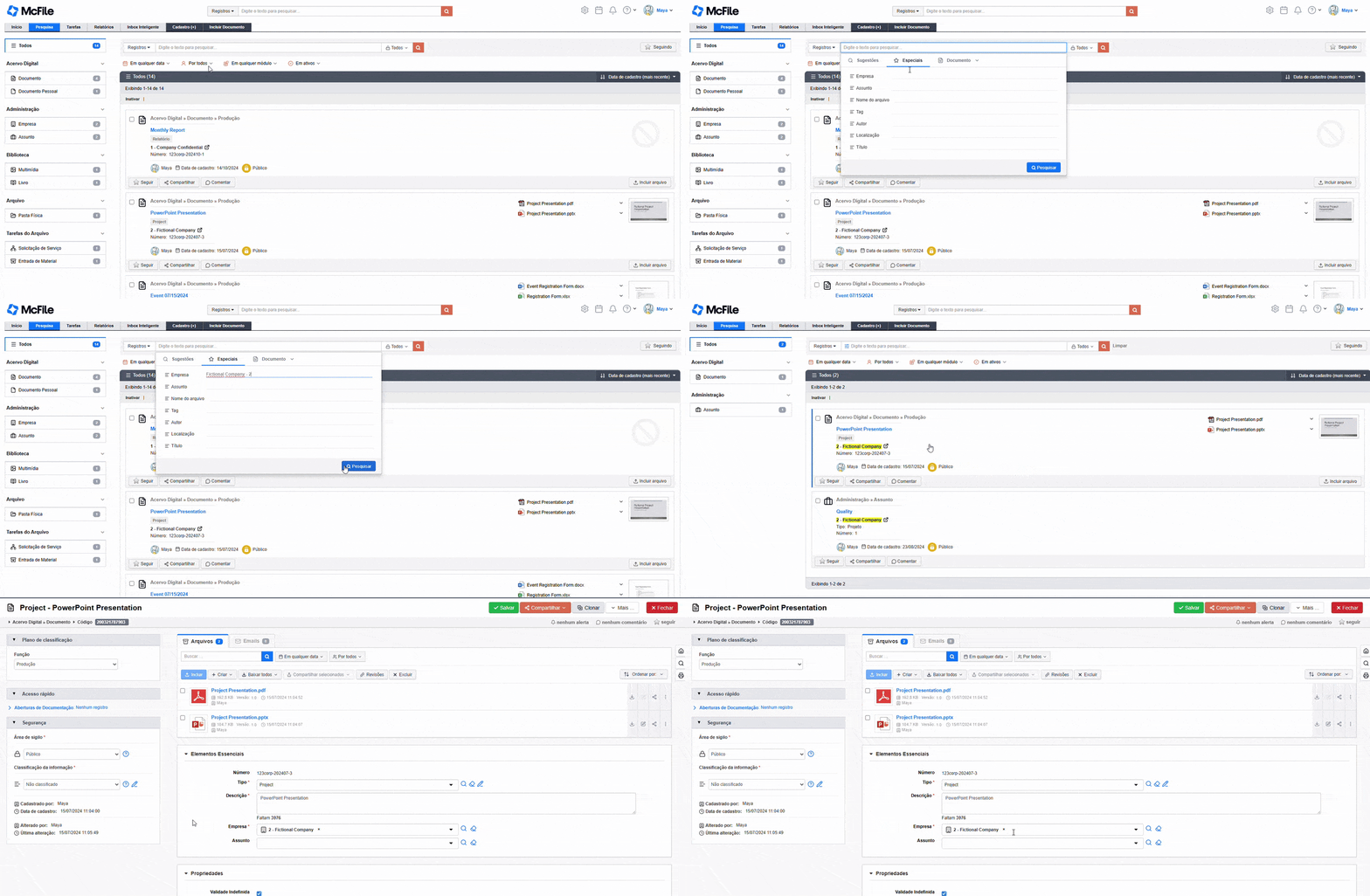
First, click one of the available fields (filters), select an option from the dropdown, and—optionally—enter a keyword to search for. In the example below, we’re searching for all records enabled for Special Search that include the term “quality”, tied to the specific company we selected.
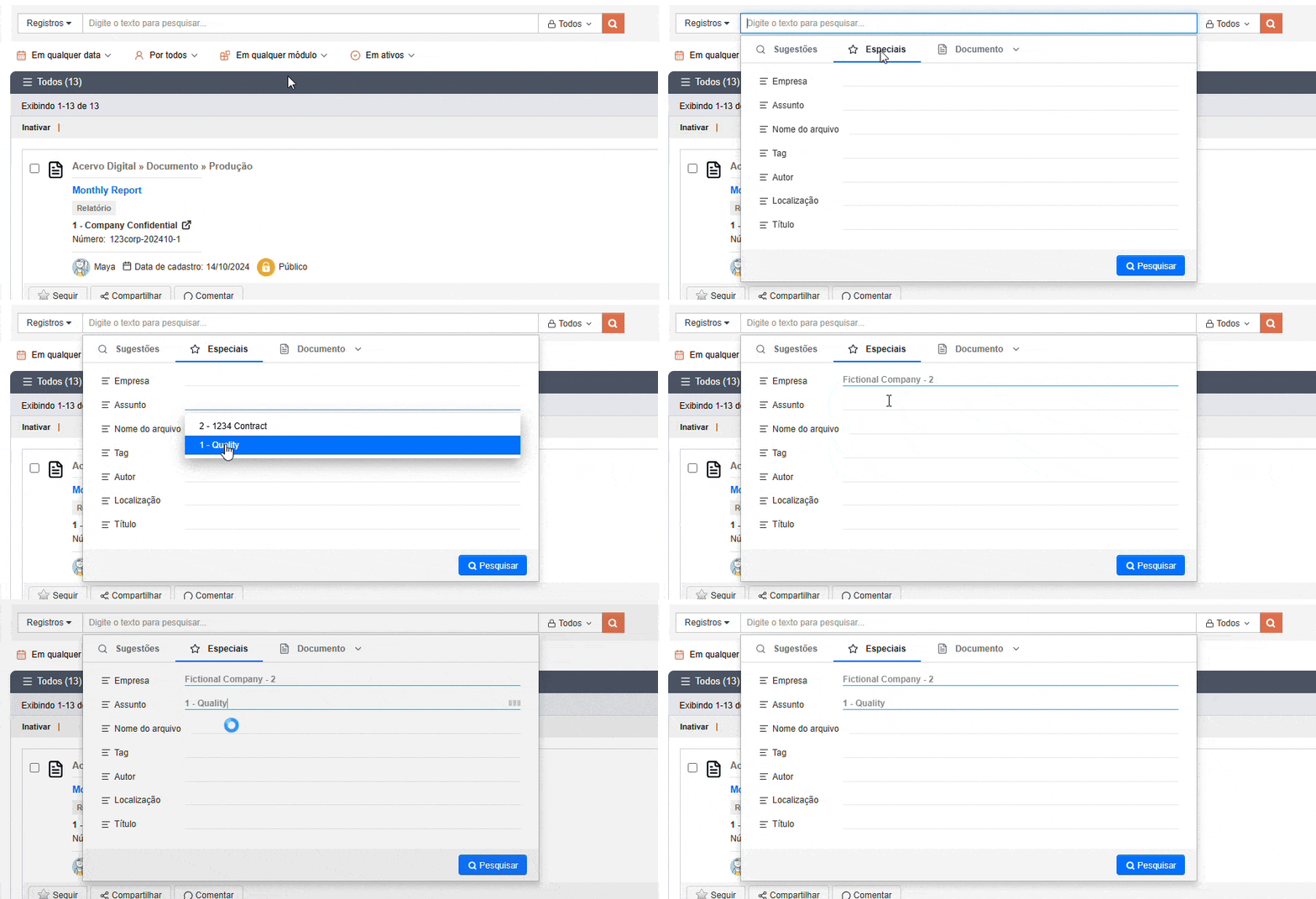
Another example of a filter selection is the Subject field.
You can choose any subject or limit the selection to subjects associated with a specific company, as shown in the example below.
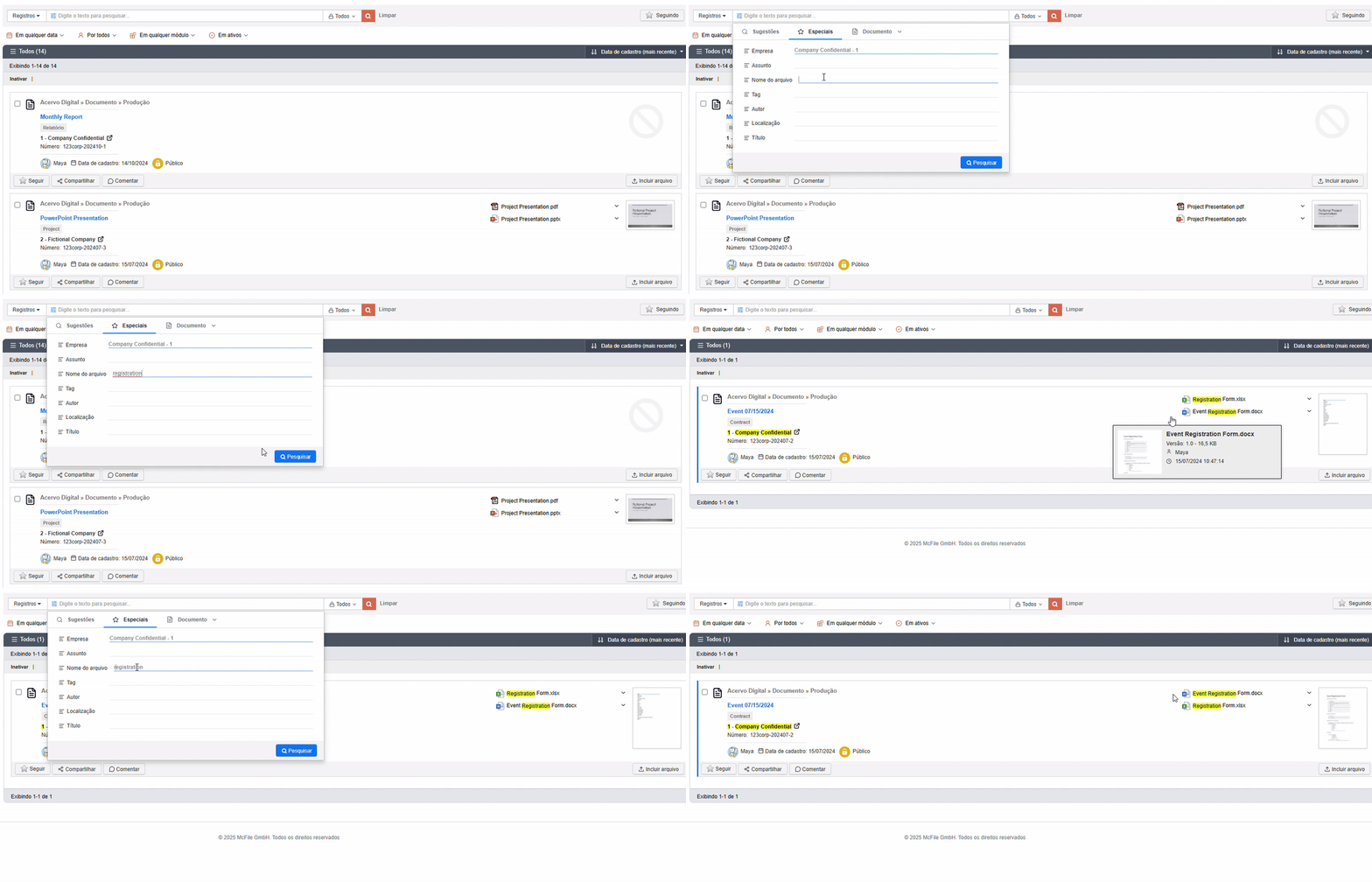
Use Special Search by File Name!
In addition to specifying the record type, Special Search also lets you enter the file name you want to search for.
This makes it much easier to find exactly what you’re looking for—especially in records that contain a large number of documents or attachments.
How does Special Search work?
In simple terms, every record in McFile contains structured fields such as Company, Subject, Description, Tags, and more.
Special Search leverages these fields to perform queries. For example, if you search for the company “Fictional Company,” the system will return all records whose Company field is populated with Fictional Company.
What fields are available?
Currently, several fields are available in Special Search, such as Company, Subject, and File Name, which we’ve already covered.
In addition, you can also search using fields like Tags, Author, Title, and other attributes available directly within McFile.
Can I enable additional fields?
Yes, you can enable additional fields in Special Search!
If you’d like to use a field that isn’t currently available, simply contact us and we’ll assess the feasibility of providing this customization for your environment.
Optimize Your Searches with McFile
With Special Search, you can find your records and documents in a simple, efficient, and flexible way.
It can also be enhanced and tailored as your business needs evolve. If you’re not yet a customer, try McFile for free and experience firsthand how the platform can help transform the way your business manages information.
McFile. Drive your efficiency.