

 Email Management
 Artificial Intelligence
 Physical Archive Management
 Document Lifecycle
 Library Management
 Security and Compliance
 QR Code Generator
 McFile for Office 365
 McFile for Business Central
 McFile for Outlook
 Electronic Signature
 Compliance
 Legal
Legal Construction
 Human Resources
 Energy
 Healthcare
 Project Management
 Digitization Services
 Educational Institution
 Retail
 Cases
Cases Blog
Blog What’s New
 About us
 For developers
 For Users
 Contact
Upload your files to McFile and easily fill in their metadata using the AI Inbox.
View your documents, enter data manually, or use automatic recognition powered by Artificial Intelligence (AI).
Save your files individually or in batches, and make the most of your time efficiently.
What is McFile’s AI Inbox?
McFile’s AI Inbox is a tool designed to simplify document submission and metadata capture. With it, you can upload files, review information, and apply automated data recognition — all within a single interface.
How to Access the AI Inbox

From McFile’s main dashboard, you will find the AI Inbox option in the menu. Simply click it to be redirected to the tool’s page. If the feature is not available, please contact our support team so we can verify availability for your environment.
Uploading Files
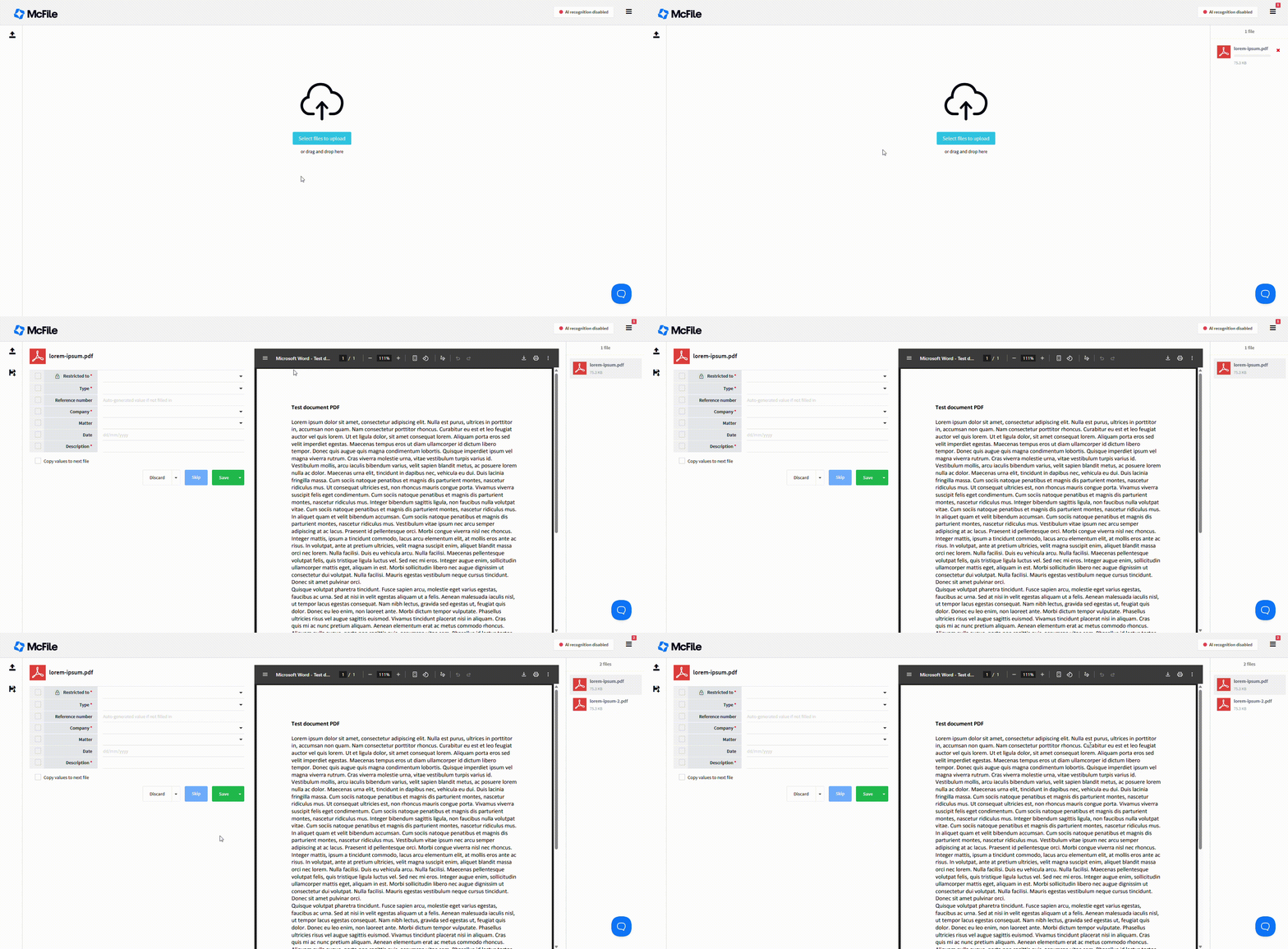
You can upload files in two different ways: by dragging and dropping them onto the screen or by clicking the Select Files option. Once uploaded, the files are placed in a queue on the right side of the page, and the first file is automatically displayed for preview and metadata capture.
The file queue
The file queue displays all the files you have uploaded to the screen, whether individually or in bulk. In addition to uploading documents, you can manage the queue using the following actions: Discard, Skip, and Save.
- Discard:
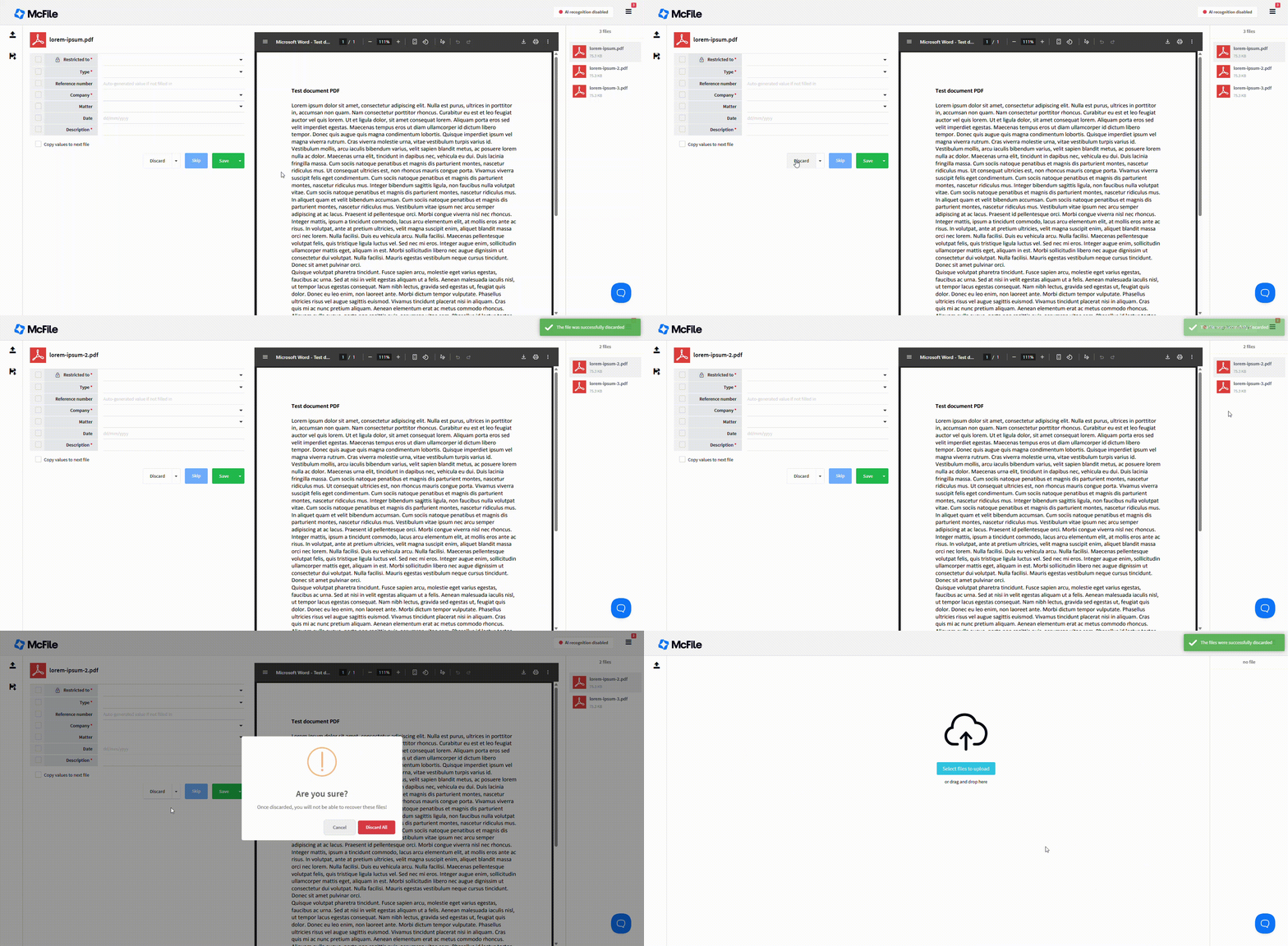 Simply removes the file from the queue without saving any data. You can remove either the current file or all files from the queue.
 - Skip:
 If you want to work on a specific file later, you can skip it. This moves you to the next item in the queue without removing the file.
- Save:
Once the required metadata has been completed, you can save the files to McFile either individually or in bulk.
Metadata Capture
With the AI Inbox, you can fill in a document’s metadata in two different ways: using AI-powered recognition or manually.
AI-powered recognition
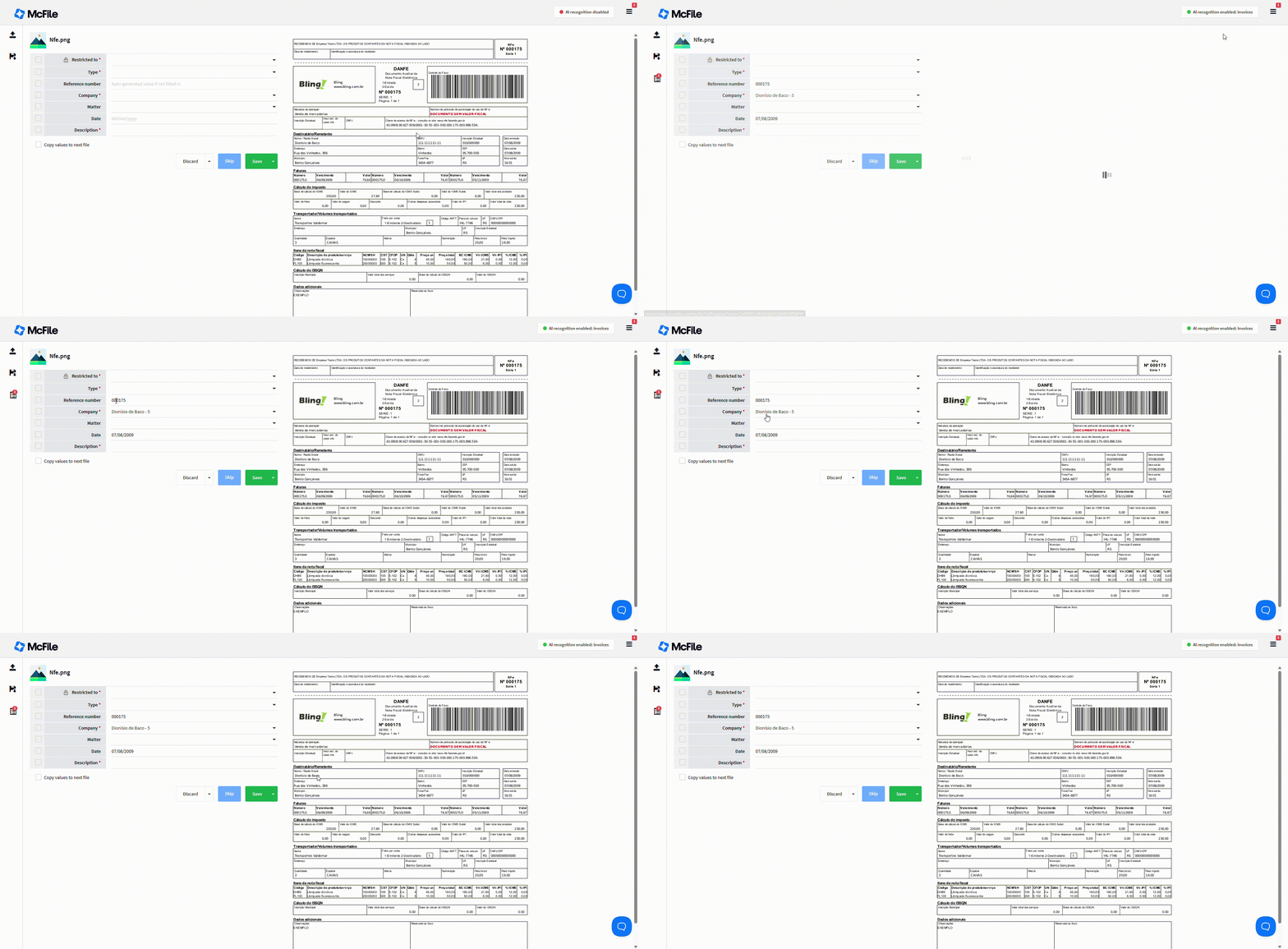
With AI-powered recognition, relevant data is automatically captured and filled in with just a few clicks. Simply select the document type that fits your needs. At this time, we support invoice recognition, which automatically captures and populates the invoice number, issuing company (or receiving company), and issue date.
This capture method includes a standard monthly allowance of 1,000 pages. Organizations with higher document volumes can purchase additional page packages to scale AI usage without interruption. Contact our sales team to size the best package for your operation.
Bulk Metadata Capture
Now that you understand how the queue works and how to complete the fields, working with files in bulk becomes much easier!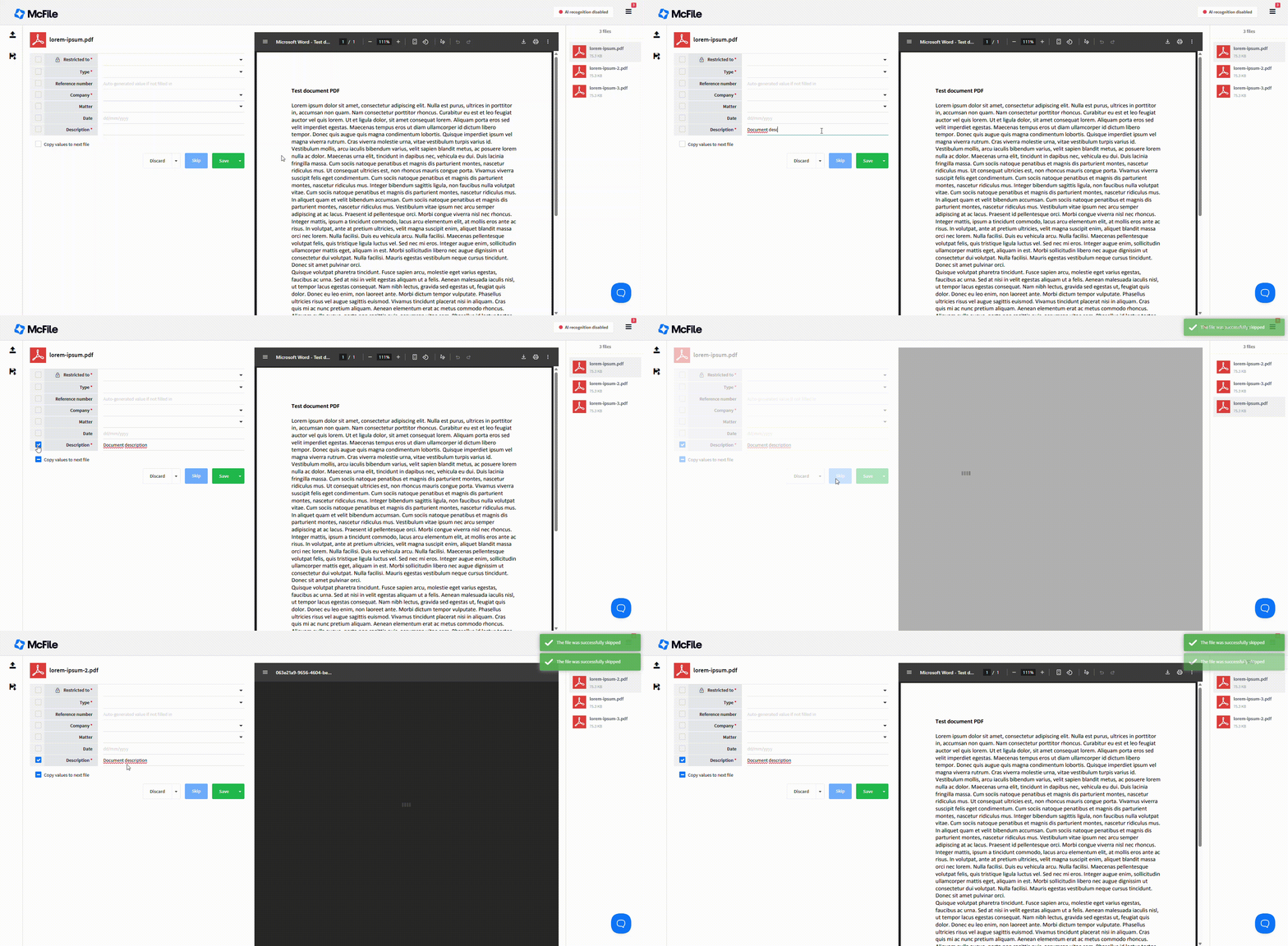
Simply select the fields you want to copy across all files, and they will remain the same throughout the entire queue.
Types of AI-Powered Recognition
As you already know, our AI Inbox automatically recognizes invoice fields. For this specific use case, we currently use an AI model. However, we are continuously improving this feature so that additional models and document types can be supported. If you, as a McFile customer, frequently need to extract metadata from a specific type of document, please contact us. We will conduct an internal assessment and evaluate the feasibility of developing a custom model exclusively for you.
Empower Your Processes with McFile
With this new feature, completing document metadata becomes fast and efficient. As a result, you type less and get more done! If you’re not yet a customer, try McFile for free and see firsthand how the platform can transform your business.
McFile. Drive your efficiency.